Case 03 / 20
Tightrope
Infrastructure nobody could picture, made obvious.
- Sector
- Developer Infrastructure · AI
- Year
- 2025
- Scope
- Brand Strategy · Messaging · Identity · Copywriting · Product Storytelling · Website · Webflow Development · Blog System
- Design
- Gev Marotz

Tightrope automates the enterprise systems that never shipped an API, by driving their screens the way a person would. An agent logs in, fills the forms, pulls the files, and the result comes back as an endpoint you can call.
Your integrations should build themselves
Tightrope helps you turn any website into an integration.
Our AI-native builder lets you automate complex, multi-step workflows across any enterprise system—with the speed and reliability your customers expect.
A category with no picture in it
Hospital record systems. Claims portals. Customs desks. State licensing sites. Someone is logged into each of them right now, reading a number off one screen and typing it into another, because that is the only way the data comes out.
Tightrope's answer is an agent that operates those screens directly. The difficulty was never the engineering. It was that the plain description of it landed as something else: say browser automation and a buyer hears a scraper, say workflow automation and they hear the RPA software their company already failed to roll out.
So the founders were losing the room in the first sentence, on a product nobody doubted once they watched it run. Before anyone could be sold, they had to be able to picture it.
Your integrations should build themselves
The line we wrote for the top of the site does two things at once. It states the outcome in the customer's own vocabulary, and it puts the work on the product rather than on the reader.
Under it the same claim runs three more times, each pass narrower than the one before: turn any website into an integration, make legacy systems behave like modern APIs, turn legacy UIs into modern APIs. A visitor who reads one line and a visitor who reads all four land in the same place.
The strategic decision was to explain the mechanism rather than the benefit. Benefit-first copy is what the category's incumbents were already doing, and it was the reason nobody could tell them apart.
Legacy Systems
- EHR Portals
- Claims Dashboards
- Govt. Forms


This system is currently downloading your files.
Do not attempt to close this window.
It won't help.
Tightrope
- Builder
- Playbooks
- Runner
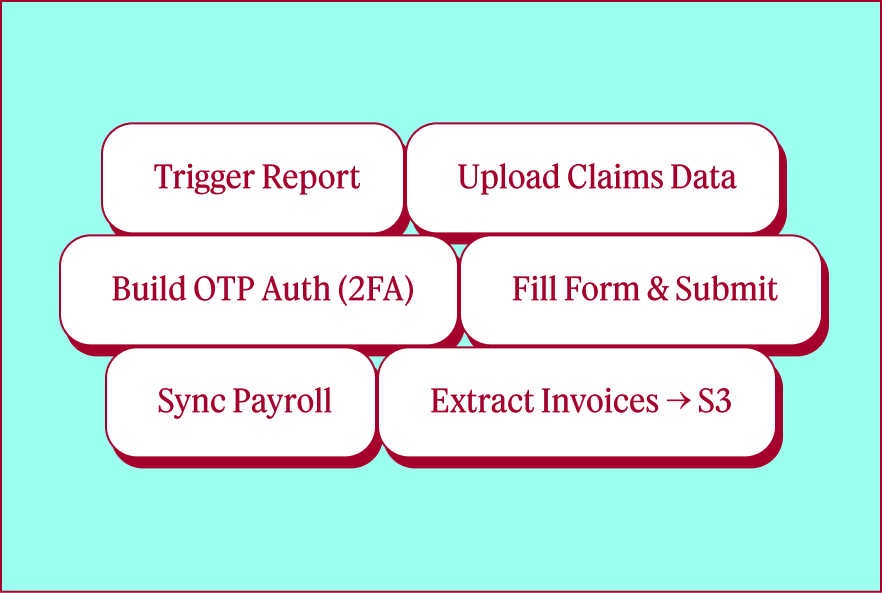
- Jobs a Playbook runs:
- Trigger Report
- Upload Claims Data
- Build OTP Auth (2FA)
- Fill Form & Submit
- Sync Payroll
- Extract Invoices → S3
Your Application
- Enterprise AI Apps
- Healthcare Tech
- Logistics

Naming the parts made the product real
The site's spine is a single diagram: legacy systems on the left, your application on the right, Tightrope in the middle turning one into the other.
The middle column is where the argument is won. We gave the product three named parts and each one a job: Builder writes the automation, Playbooks store it as editable code, Runner executes it under observation. A product with named parts is a product you can hold in your head, and it gave every later section of the site somewhere to belong.
The old portal in the left column is a beige monitor running a dialog that will not let you leave. It is the one joke on the page, and it does real work: it is a picture of the daily experience the audience is trying to escape, which no amount of describing legacy systems would have delivered.
A diagram makes a promise; the section under it lists the parts. Four panels, four verb-first headings — handle, extract, submit, automate — each one naming a job somebody is already doing by hand, rather than a feature the product ships.
What you can
build with Tightrope
Integrate with any system, even ones that will never build an API.
Handle complex
authenticationLog into systems with 2FA, SSO, or rotating credentials. Your customers' credentials stay encrypted and every access is audited.
Extract data from legacy portals
Pull invoices, claims data, or compliance reports from any web portal. Extract hundreds of docs in a single run and get structured data back.
Submit forms and workflows
Submit applications, update records, or file reports through multi-step web forms. Add human approval checkpoints wherever you need them.
Automate complex,
multi-step processesNavigate conditional flows, handle dynamic forms, and manage file uploads. The code is yours to inspect, version control, and modify.
An identity built out of the machine
The wordmark is set lowercase with a terminal underscore holding the end of the line, so the company signs its name the way its product ends a command.
Everything else follows from that decision. The icon set is drawn on a square grid with no curve and no rounded corner in it. Rules are dotted. Section headings sit inside display type filled with a field of hairlines that compress toward a horizon. One red, one turquoise, off-white paper, and nothing else.
Precise and slightly strange was the target, and the restraint is what keeps it on the right side of that. There are no gradients, no soft shadows, no illustration style to maintain. The identity is a grid, two colours and a cursor.
The launch, end to end
We designed and built the homepage, an Enterprise page for the security and compliance conversation, a Team page carrying the founders' story, and the blog system the company published into.
Each page runs the same colour script rather than a shared template: off-white to open, a turquoise field where the argument turns, red for the security section, red again for the footer. The wordmark arrives at the end as a field of dots, which is the identity's own grid at the largest size it appears anywhere.
Everything was built in Webflow, responsive down to a phone. The article template and its category index were designed in the same pass as the site.

Tightrope turns any UI into an API.
Join our team in SF to help define the next generation of integration infrastructure - for AI that needs to operate in the real world.

Tightrope is building integrations infrastructure for the next generation of AI-native companies.
We spent months talking to companies across healthcare, logistics, insurance, and finance. Different verticals, same wall: critical data locked in systems that will never have APIs.
Browser agents changed what's possible. We're building the infrastructure to turn any legacy UI into an API.
Our founding team has 10+ years of integrations and auth experience - Tara as head of integration platform at Merge API, Alex as a founding engineer & EM at Stytch.










Show the agent working, not a promise that it works
The product's claim is that you describe an integration and watch it get built. That is only credible if the reader sees the intermediate state: the agent narrating what it is about to do, and the steps accumulating into something inspectable.
So the product storytelling was written around the artifact. You ask for a customer's report, the agent proposes the steps, and what it leaves behind is a Playbook: five named steps, each one an action and a set of arguments you can open, edit, version and deploy.
That is also the answer to the objection the category always raises. The code is on the page. Nothing about it is a black box you are asked to trust.
Builder
You describe the integration. The agent proposes the steps.
AI Assistant
Describe what you want your Playbook to do
Look up Grace Hopper and get her report.
Great. Want me to search for them and download the report?
Yes
Added 5 step(s):
- Click the search box.
- Type "Grace Hopper."
- Click the first result.
What steps do you want me to add?
Playbooks
What it leaves behind is a Playbook: named steps, each one editable.
Edit Playbook
CRM Report ExportBlock: Download Customer Report
Action
click
Arguments
{
  "url": "https://dashboard.pomelo.com/content/home.html"
}Action
click
Arguments
{
  "selector": "#q"
}Action
click
Arguments
{
  "match": "Grace Hopper"
}Action
download
Arguments
{
  "format": "pdf"
}Action
click
Arguments
{
  "selector": ".signout"
}
Runner
curl -X POST https://api.tightrope.dev/playbooks/{playbook_id}/run \
-H "X-Project-Id: projects-xxx" \
-H "X-Secret-Key: secrets-xxx" \
-H "Content-Type: application/json" \
-d '{"linked_account_credential_id": "lac-xxx"}'
import requests
response = requests.post(
"https://api.tightrope.dev/playbooks/{playbook_id}/run",
headers={
"X-Project-Id": "projects-xxx",
"X-Secret-Key": "secrets-xxx",
"Content-Type": "application/json"
},
json={"linked_account_credential_id": "lac-xxx"}
)
const response = await fetch("https://api.tightrope.dev/playbooks/{playbook_id}/run", {
method: "POST",
headers: {
"X-Project-Id": "projects-xxx",
"X-Secret-Key": "secrets-xxx",
"Content-Type": "application/json"
},
body: JSON.stringify({ linked_account_credential_id: "lac-xxx" })
});
payload := []byte(`{"linked_account_credential_id": "lac-xxx"}`)
req, _ := http.NewRequest("POST", "https://api.tightrope.dev/…/run", bytes.NewBuffer(payload))
req.Header.Set("X-Project-Id", "projects-xxx")
req.Header.Set("X-Secret-Key", "secrets-xxx")
req.Header.Set("Content-Type", "application/json")
client := &http.Client{}
response, _ := client.Do(req)
require 'net/http'
require 'json'
uri = URI("https://api.tightrope.dev/playbooks/{playbook_id}/run")
http = Net::HTTP.new(uri.host, uri.port)
http.use_ssl = true
request = Net::HTTP::Post.new(uri)
request["X-Project-Id"] = "projects-xxx"
request["X-Secret-Key"] = "secrets-xxx"
request.body = { linked_account_credential_id: "lac-xxx" }.to_json
response = http.request(request)
It ends in one HTTP call
The last thing the product page shows is a block of code: one POST request, in five languages, under a filename.
That is the whole integration. After a page about agents driving browsers on your behalf, what a developer actually writes is a single call that looks like every other one they have written — and looking ordinary is the point.
What shipped, and what outlasted it
Tightrope launched with the positioning, the identity, the full site and the publishing system in place, and went to market on the sentence at the top of the homepage.
A product that could not be described in a sentence got one. Everything else here — the diagram, the three named parts, the icon grid, the underscore — was built to make that sentence believable.
The company has since moved to a different product, on a different site. This page is the original launch build; none of it is live today, and nothing that replaced it is ours. The site had a shelf life. The strategy under it did not.
Gev spent weeks on positioning, ICP, and tone before touching a single visual. That first-principles approach gave us a brand strategy deck we still reference constantly, and an unorthodox vision brought fully to life.
 Tara Pichumani, Co-Founder & CEO, Tightrope